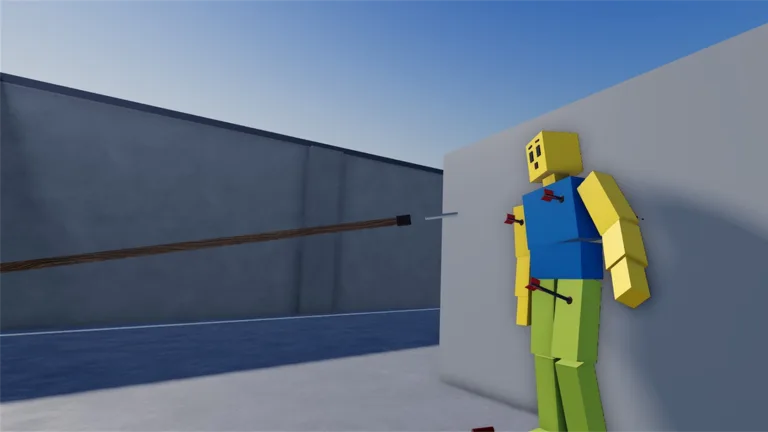
What the game adds on top of Roblox
Movement is standard Roblox unless you remapped it globally. WASD or the stick moves. Space or the on-screen button jumps. Mouse look, a drag, or the right stick turns the camera. Shift lock follows your Roblox avatar settings when the experience allows it.
Ragdoll Realism does not publish a separate key chart. Do not paste bind lists from Ragdoll Engine, Hyper Realistic Ragdoll, or Ragdoll Reality. Those are different places with different UIs.
If movement feels wrong, check Roblox client sensitivity and shift lock before you blame the in-experience Settings panel.
The four tool families
Equip from the weapon or tool UI before you chase a dummy.
- Guns are the ranged family. Use short bursts while you learn timing, then watch one impact fully.
- Melee weapons are the close family. They make limb reactions easy to read and cover reloads.
- Throwables are the arc and area family. Spacing mistakes waste them.
- Physics tools shove, fling, or otherwise stress the simulation. They are the sandbox identity, and they are a poor plan when a wave or a player is already on you.
On PC, keep tool switching close to your move keys. On mobile, lower visual clutter in Settings if touch targets feel crowded. After every new unlock, spend about thirty seconds on a stationary dummy before Survival or PvP.
Settings as part of control
The official pitch includes Settings for visual style and effects. Treat that panel as input hygiene:
- On a weak device, heavy effects plus a pile of ragdolls feel like input lag. Lower costly visuals until aim tracking is honest.
- Keep enough impact feedback that you can tell which limb reacted.
- A look you like for Sandbox clips can be the wrong look for Survival or a scenario timer. Change it when you change modes.
In a four-player session, agree on a similar intensity so callouts such as left leg or doorway still mean the same thing.
Sandbox Pack timing
After you buy the Sandbox Pack with Cash, two extra controls matter:
- Time controls change how fast the world plays so a launch or a collapse stays studyable.
- Custom dummy spawning places a fresh target instead of hunting the map after every wipe.
Start the test at normal speed, place the dummy, then engage time control before the impact you want to study. Reset between trials: same weapon, same distance, same time setting. Deep habits are on the Sandbox Pack guide.
Device habits
PC is the cleanest aim for guns and throwables. Mobile is playable if you warm up in Sandbox, favor forgiving tools early, and avoid max particles when the device throttles. A gamepad sits between them: good for tracking zombies, slower for fine limb shots.
Whatever you use, take two minutes in Sandbox before a Survival wave, PvP, Stop the Intruders, or Ambush Escape.
Drills that do not need extra software
- One impact, full watch, then reset.
- Gun, then melee, then throwable on the same dummy line.
- After the Pack, repeat one launch at normal speed and under time control.
- In Survival, strafe while firing. Do not plant your feet for a whole magazine.
Skip third-party key overlays and executor menus. Account risk is real, and those tools are not required to learn this game.